QQ news feed Web Browser
Publisher Description
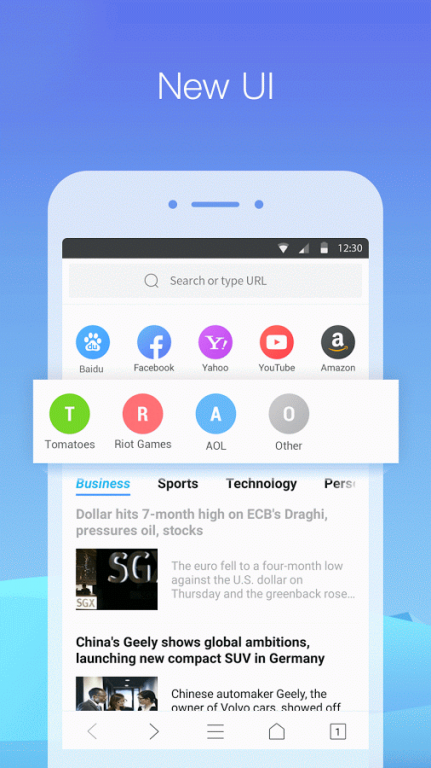
QQ Browser, holding the first market share of Browser category in mainland China, is providing excellent and high quality browser services for millions of users every day.
*News - Real-time news browsing safer
*Faster - Experience a fast, smart and personal Web.
*Privacy Browsing - Use private tabs to browse incognito without leaving a trace on your device.
*Night Mode - Switch to Night Mode to make night reading more comfortable.
From this version, you can enjoy a wealth of information anywhere, except in mainland China.
Your options matter a lot to us. We pay close attention to your feedback and we do read every problem and suggestion. Making a great Browser product is the goal that we always pursue.
About QQ news feed Web Browser
The company that develops QQ news feed Web Browser is Tencent Technology (Shenzhen) Company Ltd.. The latest version released by its developer is 1.0 . This app was rated by 10 users of our site and has an average rating of 2.4.
To install QQ news feed Web Browser on your Android device, just click the green Continue To App button above to start the installation process. The app is listed on our website since 2016-12-28 and was downloaded 122 times. We have already checked if the download link is safe, however for your own protection we recommend that you scan the downloaded app with your antivirus. Your antivirus may detect the QQ news feed Web Browser as malware as malware if the download link to com.tencent.mtt.intl is broken.
How to install QQ news feed Web Browser on your Android device:
- Click on the Continue To App button on our website. This will redirect you to Google Play.
- Once the QQ news feed Web Browser is shown in the Google Play listing of your Android device, you can start its download and installation. Tap on the Install button located below the search bar and to the right of the app icon.
- A pop-up window with the permissions required by QQ news feed Web Browser will be shown. Click on Accept to continue the process.
- QQ news feed Web Browser will be downloaded onto your device, displaying a progress. Once the download completes, the installation will start and you'll get a notification after the installation is finished.
Program Details
System requirements
Download information
Pricing
Version History
version
posted on 2016-12-28
1. A more compact layout in Feed;,2. Add hot news Tab;,3. You can switch languages in App;,4. Bug fix.
version
posted on 2016-10-24
1. More News. Feeds bring you hot international news at the first time.,2. More efficient. Bookmarks can be accessed as saved Fastlinks.,3. Bugs fixed.
